
Sitebulb Release Rants
Transparent and sweary Release Notes for every Sitebulb update. Critically acclaimed by some people on Twitter. Written by CEO Patrick Hathaway.
Reader discretion is advised.
Become the hero in any migration story with our Website Migrations Training Series!
Website Migrations Training
Register now



Transparent and sweary Release Notes for every Sitebulb update. Critically acclaimed by some people on Twitter. Written by CEO Patrick Hathaway.
Reader discretion is advised.

February 2026
Colour me ambivalent about this update.
Once again, Google says 'jump' and the entire SEO industry falls to their death at the bottom of a cliff.
Only last week I was ranting on LinkedIn that folks should take a chill pill about page size;
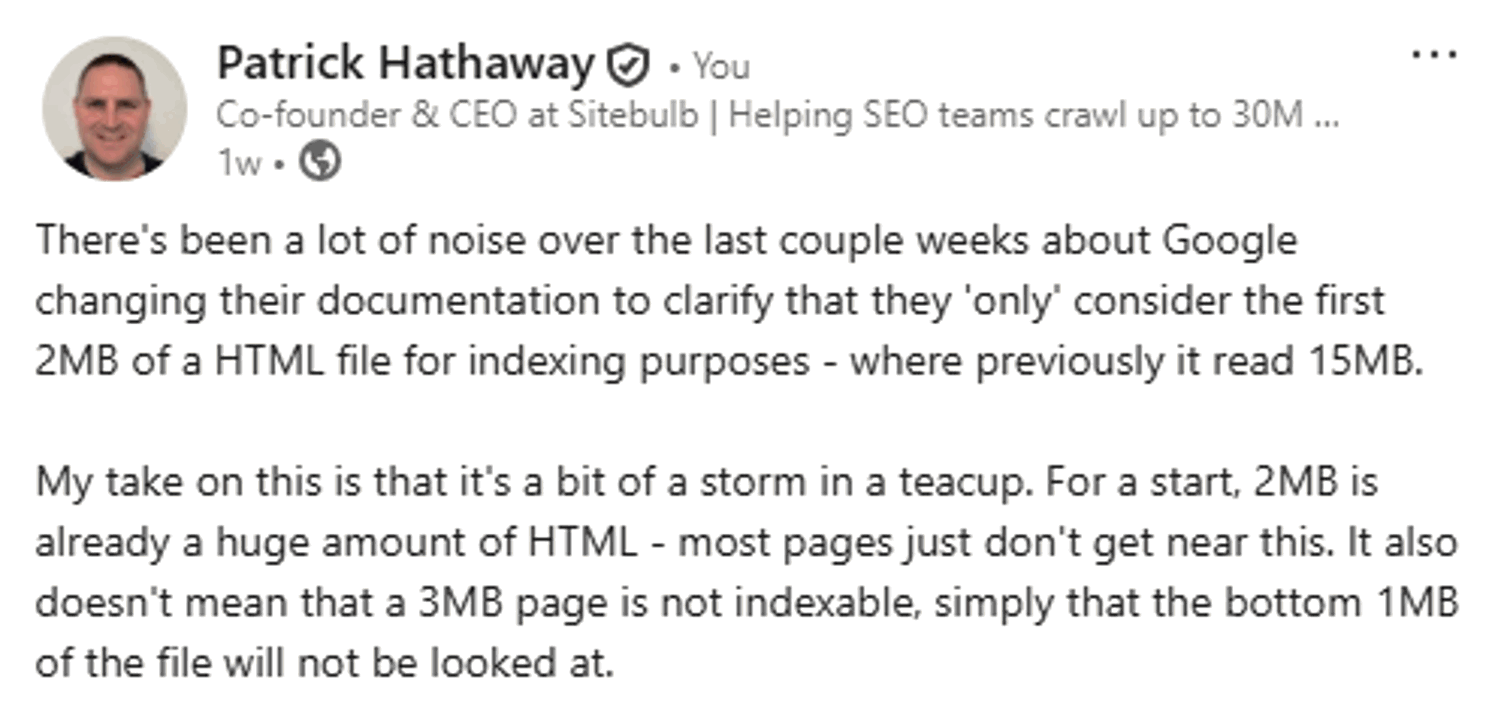
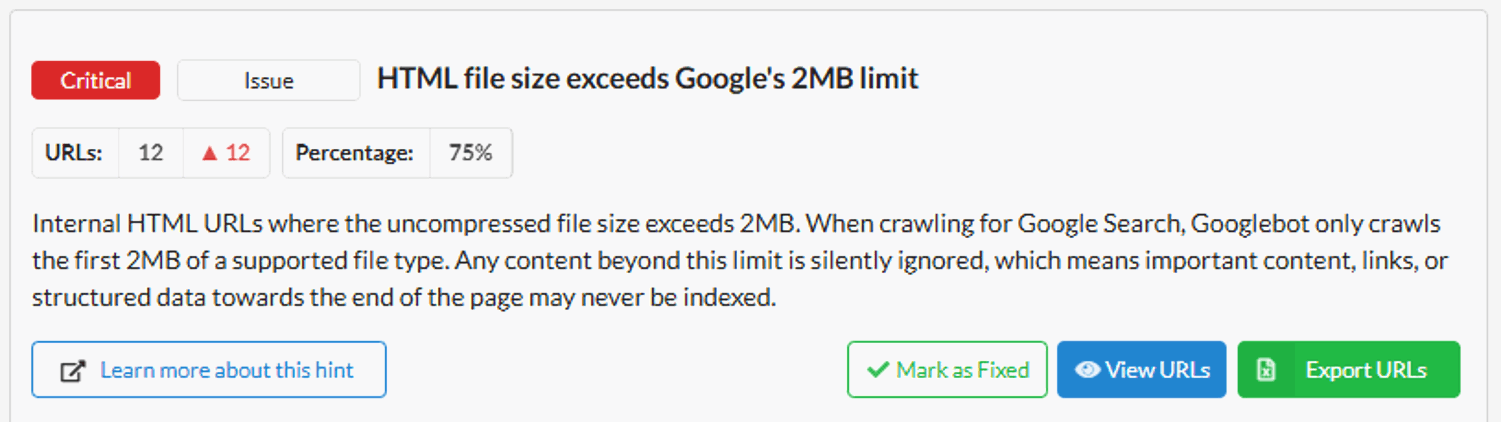
And yet, here we are, adding it as a 'Critical' Hint for Sitebulb.
Playing Devil's advocate with myself, this is surely is a classic 'It depends' scenario right? Most people don't need to worry about this affecting any of their pages... unless that have some massive pages containing 'buried content' that they want indexed. In which case it's a shit-storm situation that they would not know about unless Sitebulb told them. Therefore we should add it as a Hint. QED.
Said new Hint lives in the Indexability section, since this is primarily an indexing issue.
Release Notes shout-outs going out to Adam Riemer for telling me to add this Hint and sending me Eric Cartman memes, and Jan-Willem Bobbink for sharing with me this super interesting thread about Google's 2MB limit being discovered in the first place (hint: open up the '26 More comments' bit to really reveal the rabbit hole).
January 2026
One of the early innovations in Sitebulb was the 'pre-audit' - the bit where the spinny rainbow animation thing shows up before you can set up the project. In the background, Sitebulb is checking how the site responds so it can let you know if it relies heavily on JavaScript or if it detected a global /disallow/ that you'd need to over-ride to crawl the site (and other such advice).
I remember when we added the CDN detection (i.e. 'this site uses Cloudflare, and you may need to allow-list your IP address in order to crawl the site'). Back then, most sites didn't use Cloudflare, and even if they did you could generally crawl it anyway.
These days...not so much. If feels like absolutely every site in the known universe runs on Cloudflare, and sometimes they like to pair this with Akamai or Cloudfront as well, just for shits and giggles. It makes sense, what with the rise and rise of bot traffic and LLM crawlers that are hammering websites daily... it's just pretty annoying for us poor innocent SEOs who only want to help you make your website better.
Starting crawls on new websites has become more of a PITA, but at least it's still doable with a bit of up-front work (i.e. allow-list the user-agent or IP address).
However, checking external links from a website that point off to other different domains, well that's a whole different kettle of shrimp. With no allow-listing possible, external URLs will regularly show up in Sitebulb crawls as returning a 403/429 status, which does not reflect the true nature of the URL - and instead that the external websites are also using CDN protection.
Anyway, this is a really long way of explaining why we changed our audit setup UI to split out the Link Analysis and External URL HTTP Status checks, both of which were 'hidden' within the Advanced Settings for SEO:
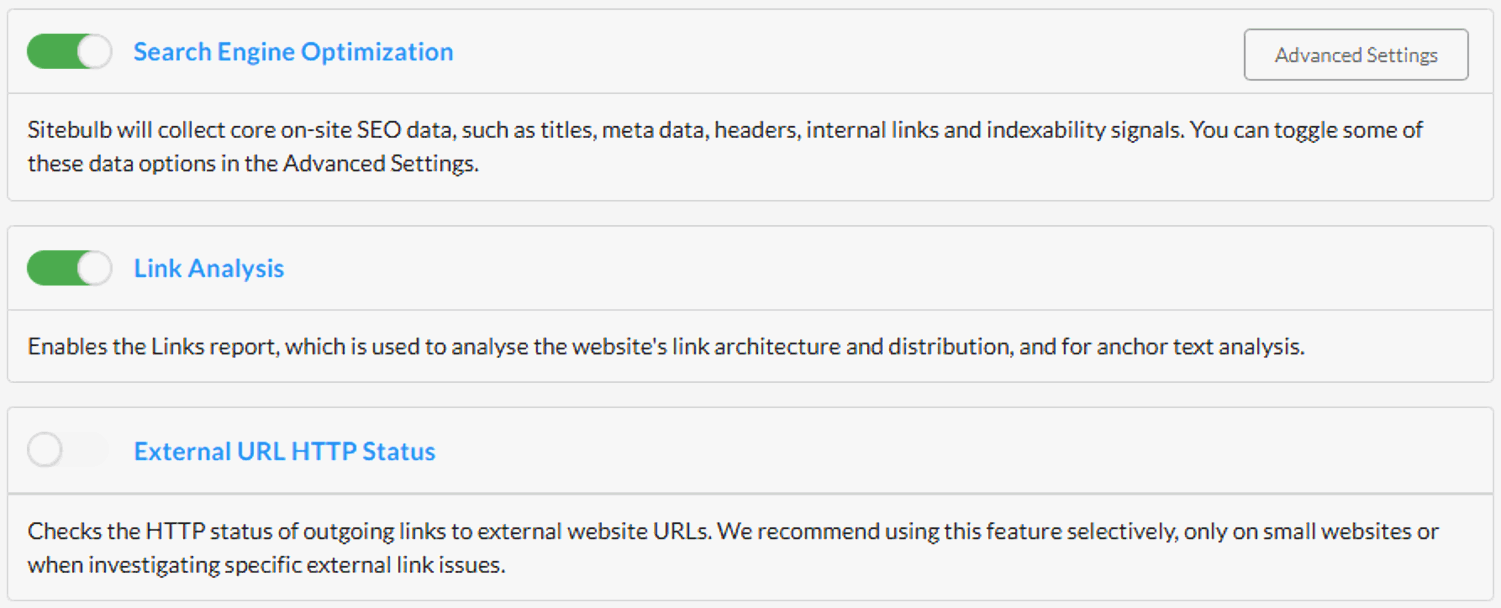
We've also switched the default on new projects to turn off External URLs, due to all the reasons above with data quality (but you can of course just switch this back on).
By making these audit options more prominent, we hope this UI change will make them easier to find and understand, with clearer visual feedback.
December 2025
Excited to bring you a new feature today that really lifts the lid on granular changes between crawls, which we call 'Lost and Found' - it's available on all plans for both desktop and cloud.
In our house, 'Lost and Found' was a book we'd read to the kids when they were (ahem: quite a bit...) younger, about a boy who found a penguin and then took him all the way back to the south pole, only to then realise he was sad without his friend.
Our incarnation of Lost and Found is almost identical to this heartwarming tale, except it replaces the lost penguin with Lost URLs, and the found penguin with Found URLs. It's really profound if you think about it.
In line with the feature launch, we have a special feature spotlight webinar running tomorrow (Thursday 4th December) with my awesome colleague Miruna Hadu - sign up here.
Lost and Found is an evolution of the crawl-on-crawl change history that has been present in Sitebulb for years, which allows you to actually explore what has changed.
I'll explain with an example, and you can see the new functionality in action. Since it is a comparative metric, Lost and Found only appears once you have at least two audits within a project, just like the current change history. You'll first see it in the Audit Overview.
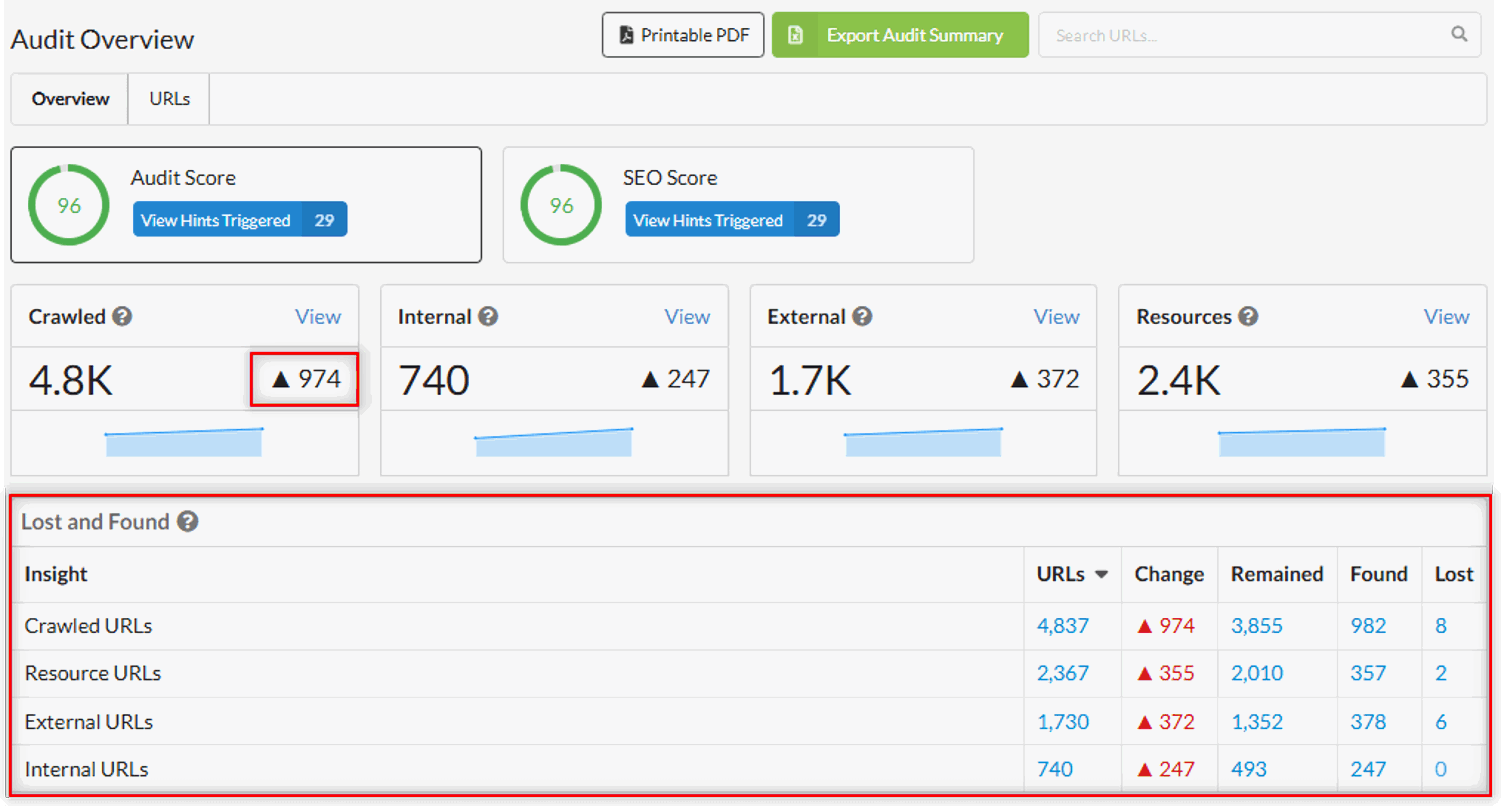
As you can see, Sitebulb found a total of 974 more pages on this website than when the crawl was last run. You may naturally assume that this means 974 more pages have been added to the website since then, but that isn't close to the full picture.
If you look at the bottom right of the image above, you can see that the total URLs found in this crawl is 4,837, which break down as follows:
3,855 'Remained' - these are URLs that were present in the last crawl, and were found again this time around
982 'Found' - these are new URLs that were not found in the last crawl
8 'Lost' - these are URLs that are no longer present on the website
So the change of 974 is a combination of the 982 newly discovered URLs and the 8 that no longer exist.
As always with Sitebulb data, if you click the linked numbers in the table then this will open up a corresponding list of URLs:
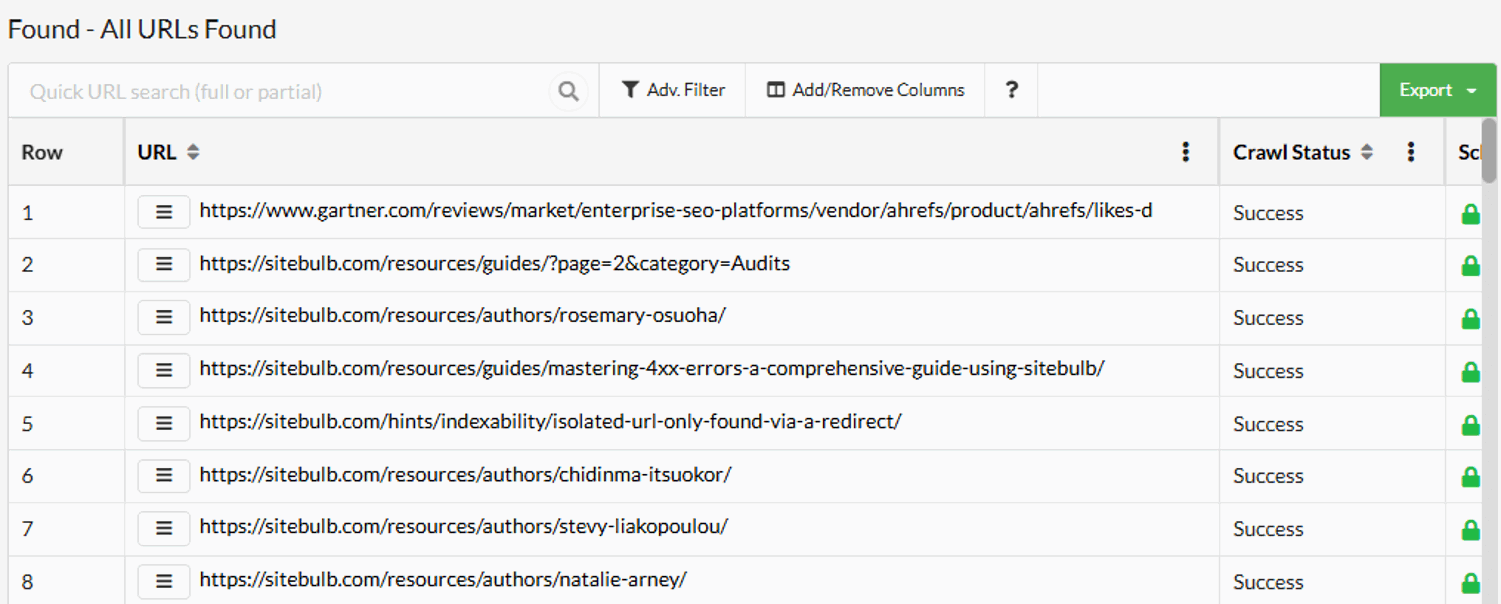
What is awesome about this functionality is that it exists natively in the app alongside existing audit data - you don't need to go off to a compare feature or separate reports to find it, and it isn't something you need to 'switch on' or enable.
But there's more.
Lost and Found at an audit level is useful to determine flux on a website, but it doesn't help you understand changes in underlying technical issues that affect the website. That's why we also embedded Lost and Found into the Hint system.
Navigate to the Hints section of any report, and you'll see a new tab for Lost and Found:
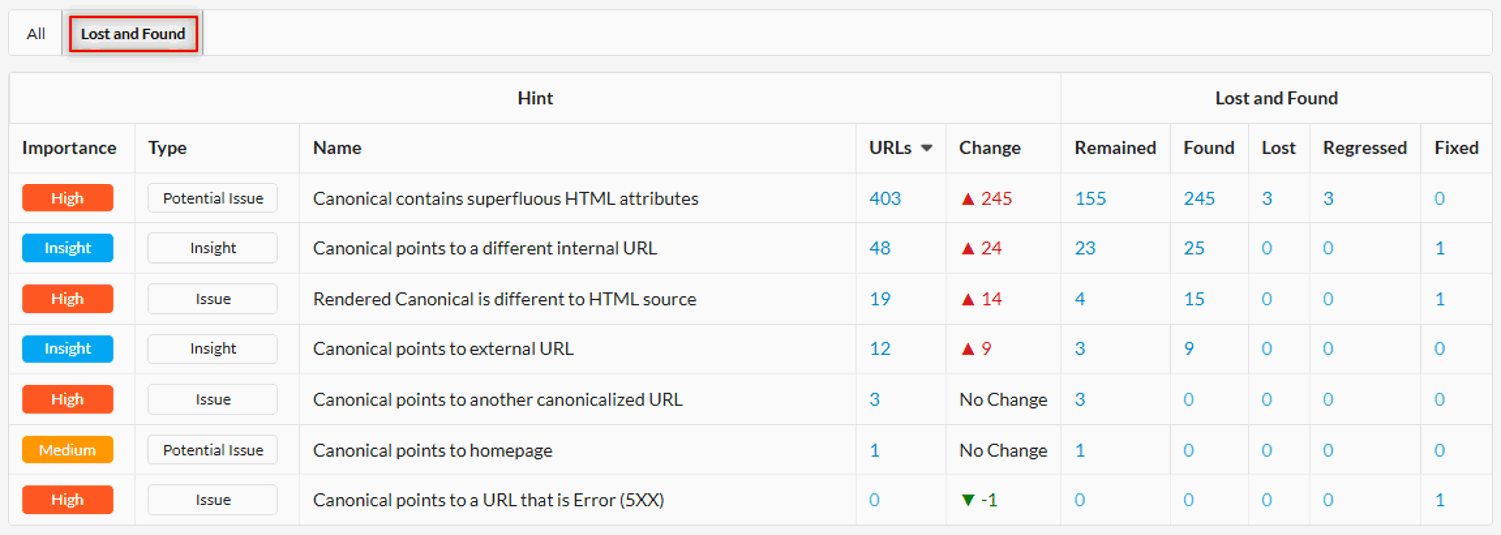
This shows you the granular changes from one audit to another at the Hint level, which allows you to more accurately understand what is happening on the website. Did you fix one issue but introduce another, for instance?
When it comes to Lost and Found at the Hint level, we also have two new definitions: 'Regressed' and 'Fixed'. 'Regressed' basically means that this is not a new URL, it just got worse! It now exhibits the problem when it did not on the previous crawl (AKA you done fucked something up).
'Fixed' is the opposite - it also is not a new URL, but this time it got better, and no longer exhibits the problem (Yes, you do deserve that raise).
Remained/Lost/Found essentially work in the same way they do at the audit level, but specifically in relation to triggering the Hint.
So the definitions for these are as follows;
Remained: URLs trigger the Hint in both the previous and current audit.
Found: URLs trigger the Hint in the current audit, but were not present in the previous audit.
Lost: URLs that are not present in the current audit, but were found and triggered the Hint in the previous audit.
Regressed: URLs that trigger the Hint in the current audit, but were found and did not trigger the Hint in the previous audit.
Fixed: URLs that previously triggered the Hint. They were found in this audit, but did not trigger the Hint.
It's a little nuanced, but does make sense when you think about it.
What this gives you is a laser-focus when digging into issues you already know about from the last time you crawled the site. You can explore things like 'which pages now trigger the Hint that didn't before?' (AKA 'Regressed'):
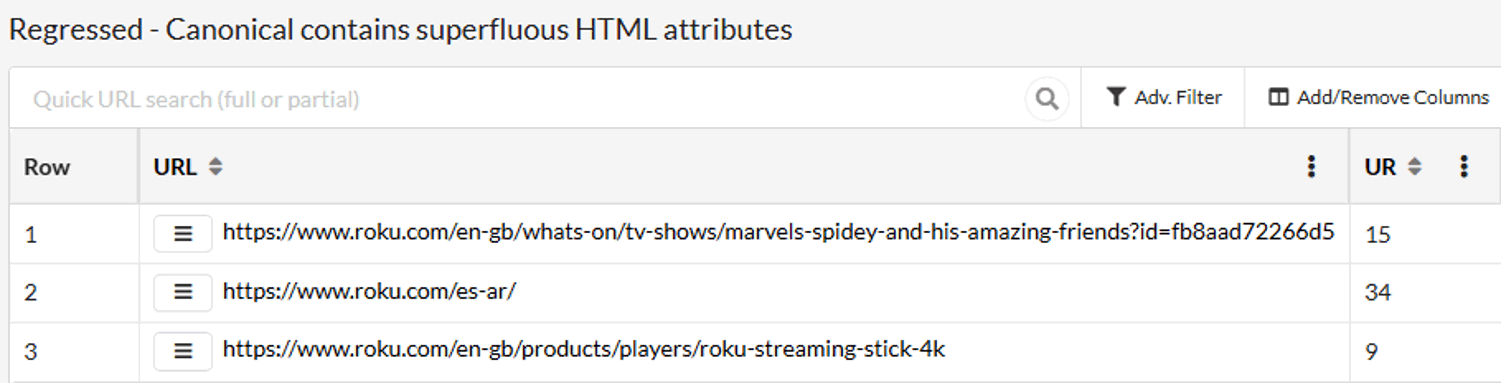
This removes a layer of opaque-ness (is that a word?) that otherwise exists within an aggregated metric like 'Change history', and gives you the tools to really understand what's going on with your website.
To learn more about the functionality, check out our documentation - and don't forget to sign up for the training webinar!
October 2025
We've added an option when generating PDFs to include links to Sitebulb's Learn More content when printing Hints:
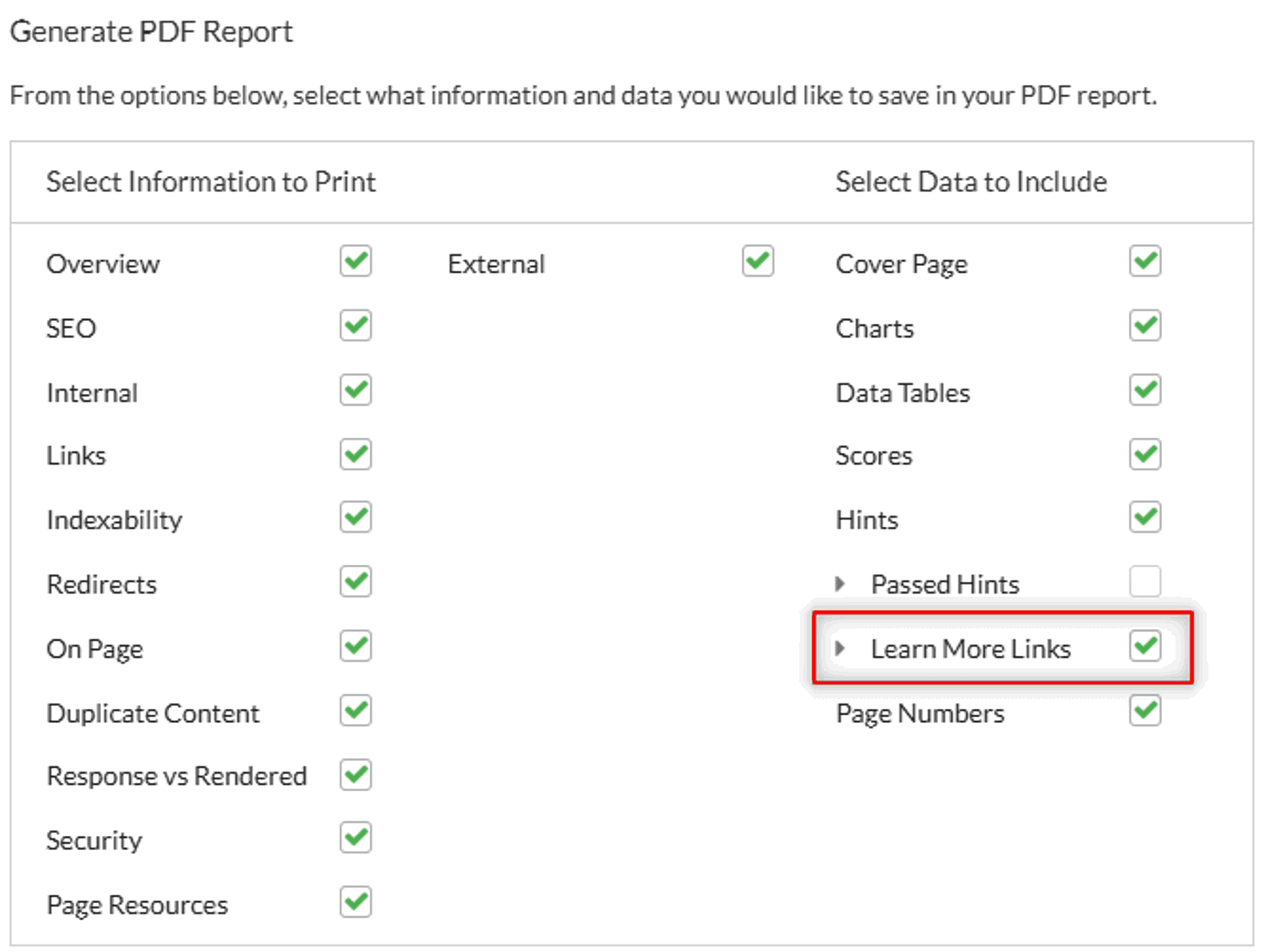
If you select this option, the PDF will then include clickable buttons to the corresponding 'Learn More' page on our website:
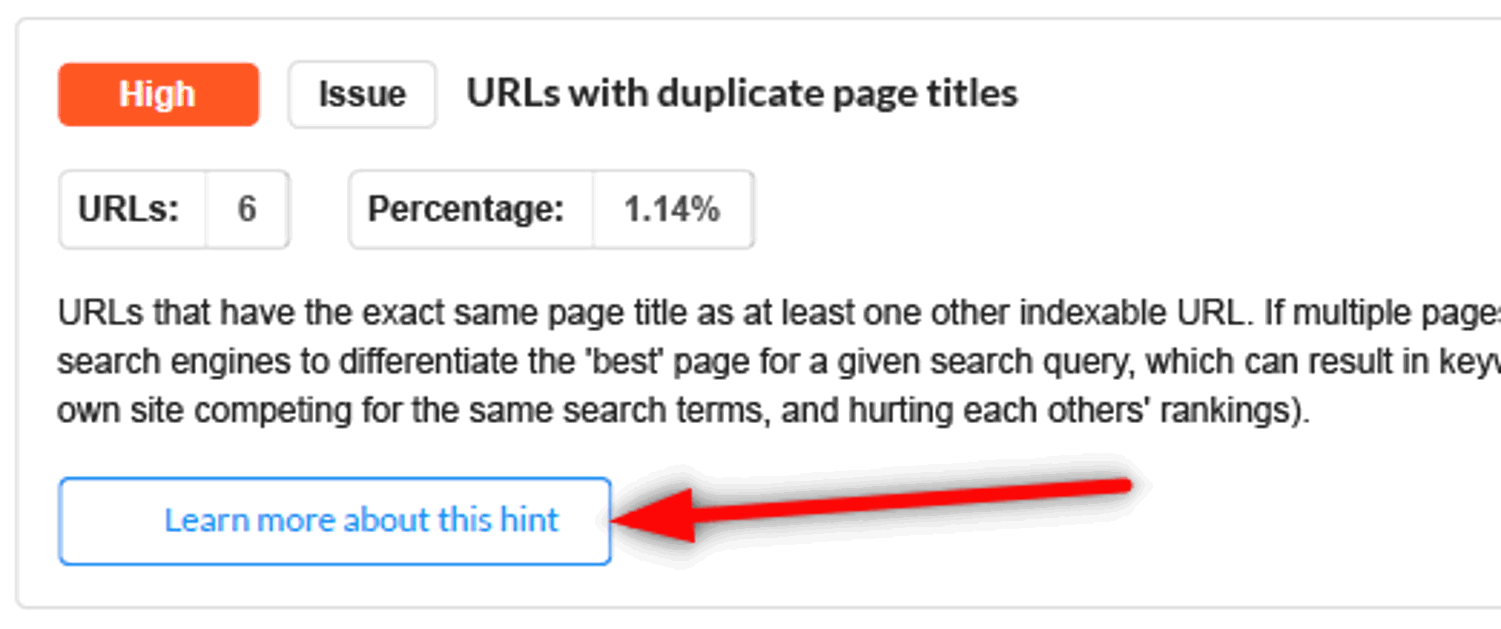
WARNING: If you have not told clients that you use a magical piece of software called 'Sitebulb' to make you look like a literal fucking superhero, using this option may give the game away...